What is Free Flow Chart Maker?
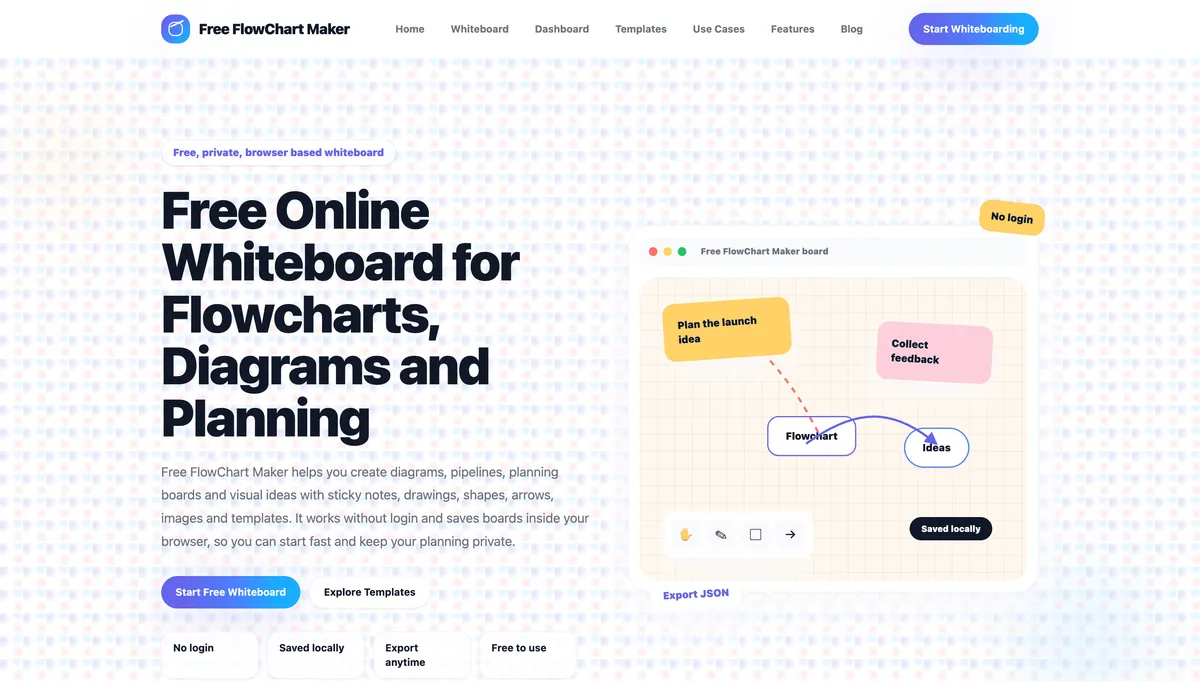
iLoveFlowChart.com is a free, browser based visual planning and flowchart platform designed for people who want to turn ideas, processes, and rough notes into clear visual boards without creating an account. The tool combines the flexibility of an online whiteboard with practical diagramming features, making it useful for flowcharts, mind maps, project planning, brainstorming, workflows, process maps, meeting notes, teaching, and everyday visual organization. The platform is built around a simple idea: open a board and start thinking visually. Users can create flowcharts and diagrams with sticky notes, text, basic shapes, arrows, connector lines, drawings, and uploaded images. The canvas gives you room to organize ideas freely instead of forcing everything into a fixed document layout. You can pan, zoom, move elements around, connect related thoughts, and gradually turn an unstructured idea into a clear visual plan. One of the strongest advantages of iLoveFlowChart.com is that no login or signup is required for normal use. You can open the whiteboard directly in your browser and begin working immediately. Boards are saved locally in the browser using device based storage, which makes the experience fast and privacy friendly for personal planning. Core whiteboard work does not depend on a server side account or cloud database. For important boards, users can export their work as JSON files and import those files again later for backup or transfer. PNG export is also available where supported in the editor. The tool is suitable for much more than traditional flowcharts. Students can use it to organize study topics, create concept maps, or visualize complex subjects. Teachers can prepare lesson diagrams and explain ideas with arrows, notes, and drawings. Freelancers can map client projects, website structures, content plans, and delivery workflows. Developers can sketch application flows, feature ideas, user journeys, or process logic before coding. Marketers and bloggers can organize campaigns, keyword clusters, content calendars, and publishing pipelines, while small business owners can create process maps, decision flows, and operational plans. iLoveFlowChart.com also includes ready made templates to help users get started faster. Instead of building every board from an empty canvas, you can choose structures for brainstorming, mind mapping, project planning, weekly planning, meeting notes, content calendars, and other common planning tasks. These templates provide a useful starting framework while still allowing you to customize the board for your own workflow. For brainstorming, the platform works as a flexible idea board where thoughts can be captured with sticky notes, grouped into themes, and connected with arrows. For project planning, goals, milestones, blockers, decisions, risks, and launch steps can be arranged visually. Meeting notes can be structured around agendas, questions, decisions, and action items. Content teams can organize ideas through stages such as planning, drafting, review, and publishing. Mind maps can begin with one central topic and branch into related concepts, examples, and questions. The interface is intentionally focused and approachable. Rather than overwhelming users with enterprise features, team administration, or complicated setup screens, the site focuses on the tools needed for quick visual thinking. This makes it useful when you want a lightweight alternative to more complex diagramming or whiteboard platforms. It works well for solo planning, private preparation, quick diagrams, and visual work where speed matters more than account management. Privacy is another important part of the experience. Normal board data stays in the same browser and device unless the user exports it. There is no requirement to upload every board to a remote account just to use the core editor. Users should still export important work before clearing browser data, changing devices, or resetting local storage because local browser storage is not the same as cloud backup. The site also includes a local board dashboard, a template library, use case pages, feature information, and guides that help users explore different ways to work with visual boards. Visitors can also explore dedicated resources for common visual planning tasks. Overall, iLoveFlowChart.com is a practical free online whiteboard and flowchart maker for anyone who wants to organize ideas visually without unnecessary friction. It combines an open canvas, sticky notes, shapes, arrows, drawings, image support, local saving, templates, JSON backup, and export options in one browser based workspace. Whether you are planning a project, explaining a process, brainstorming a new idea, preparing a lesson, mapping a workflow, organizing content, or building a simple diagram, iLoveFlowChart.com gives you a fast and private place to turn scattered thoughts into a structured visual board.