What is Chanjify.com?
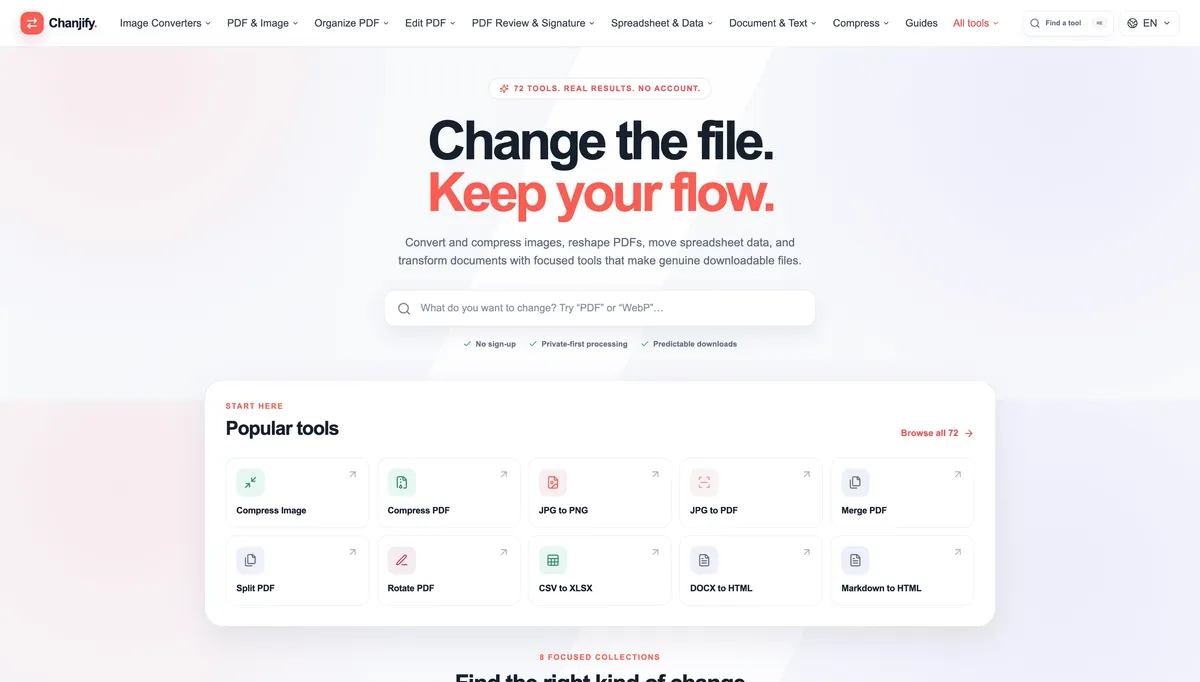
Chanjify is a streamlined online file conversion and document productivity platform built for people who want to get everyday file tasks done quickly without dealing with complicated software, unnecessary sign ups, or cluttered interfaces. Instead of relying on separate apps for images, PDFs, spreadsheets, and documents, Chanjify brings a growing collection of focused utilities together in one clean workspace. The idea is simple: choose what you want to change, use the right tool, and download the finished file with as little friction as possible. The platform currently brings together 72 practical tools across several useful categories, including Image Converters, PDF & Image, Organize PDF, Edit PDF, PDF Review & Signature, Spreadsheet & Data, Document & Text, and file compression. This makes Chanjify useful for students, freelancers, office teams, content creators, developers, marketers, small businesses, and anyone who regularly works with digital files. Its homepage is designed around speed and discoverability. A prominent search box lets visitors quickly find the exact utility they need instead of digging through long menus. Users can search for a format or task such as PDF, WebP, image compression, document conversion, spreadsheet conversion, or PDF organization. The navigation also groups tools into clear categories, while an All Tools section makes it easy to browse the complete collection. Some of the most useful tools highlighted on Chanjify include Compress Image, Compress PDF, JPG to PNG, JPG to PDF, Merge PDF, Split PDF, Rotate PDF, CSV to XLSX, DOCX to HTML, and Markdown to HTML. These tools cover many of the small but repetitive jobs that usually interrupt a workflow. Whether you need to reduce the size of an image before uploading it, combine several PDF documents, split a large PDF into smaller files, rotate scanned pages, convert spreadsheet data, or turn a document into web friendly HTML, Chanjify keeps the process focused and easy to understand. A major strength of Chanjify is its user experience. The interface feels modern, spacious, and intentionally simple. Instead of overwhelming visitors with technical settings from the first screen, it presents clear tool names, recognizable categories, and direct paths to common actions. The layout is especially well suited to users who just want a dependable utility without learning a complicated editor. The site also emphasizes no sign up, privacy first processing, and predictable downloads, which helps create a straightforward experience for quick one off file tasks. Chanjify is not limited to a single file type or use case. Image users can access conversion and compression tools, while PDF users can organize, edit, review, sign, compress, merge, split, and reshape documents. Spreadsheet and data utilities help with common format changes, and document and text tools provide practical conversions for files used in publishing, coding, office work, and content management. This broad toolset makes the platform useful as an everyday browser based file toolbox rather than a single purpose converter. The platform is particularly convenient when you do not want to install desktop software just to perform a small task. For example, a freelancer can compress client images before delivery, a student can merge assignment PDFs, a blogger can convert Markdown into HTML, a developer can transform document content for the web, and an office user can move CSV data into an XLSX format. Having these utilities in one place can save time and reduce the need to jump between multiple websites. Chanjify also puts strong emphasis on keeping the workflow moving. Its “Change the file. Keep your flow.” approach reflects the overall product design: tools are meant to solve a specific problem, produce a usable downloadable result, and let the user continue with their work. The platform avoids making basic file operations feel like full software projects. For visitors who are unsure which tool they need, the searchable interface and organized collections provide a simple starting point. Popular tools are surfaced directly on the homepage, while category based navigation helps users explore related options. Guides are also available for people who want additional help understanding file formats, conversions, and common document workflows. Overall, Chanjify is a practical all in one file utility website for fast, focused file conversions and document tasks. With dozens of tools, a polished interface, broad format coverage, no account access, and an emphasis on simple downloadable results, it is a useful option for anyone who regularly needs to convert, compress, organize, or transform files online. Instead of installing multiple programs or searching for a different website every time a file problem comes up, users can keep Chanjify as a single destination for many everyday image, PDF, spreadsheet, document, and text operations.